AI Max is replacing Dynamic Search Ads: what to check in your Search campaigns
Google has started automatically upgrading Search campaigns to AI Max, with Dynamic Search Ads following in February 2027. Here’s what changes, and the checks we recommend now.
Google Ads is in the middle of one of its biggest changes to Search campaigns in years. AI Max for Search — Google’s AI layer for finding new searches and writing ad text — came out of beta in April, and Google has now started upgrading older campaign settings to it automatically.
Many business owners won’t notice anything has changed. But AI Max can affect which searches your ads show for, what your ads say and which page people land on. Here’s what’s happening, when, and what to check.
What is AI Max?
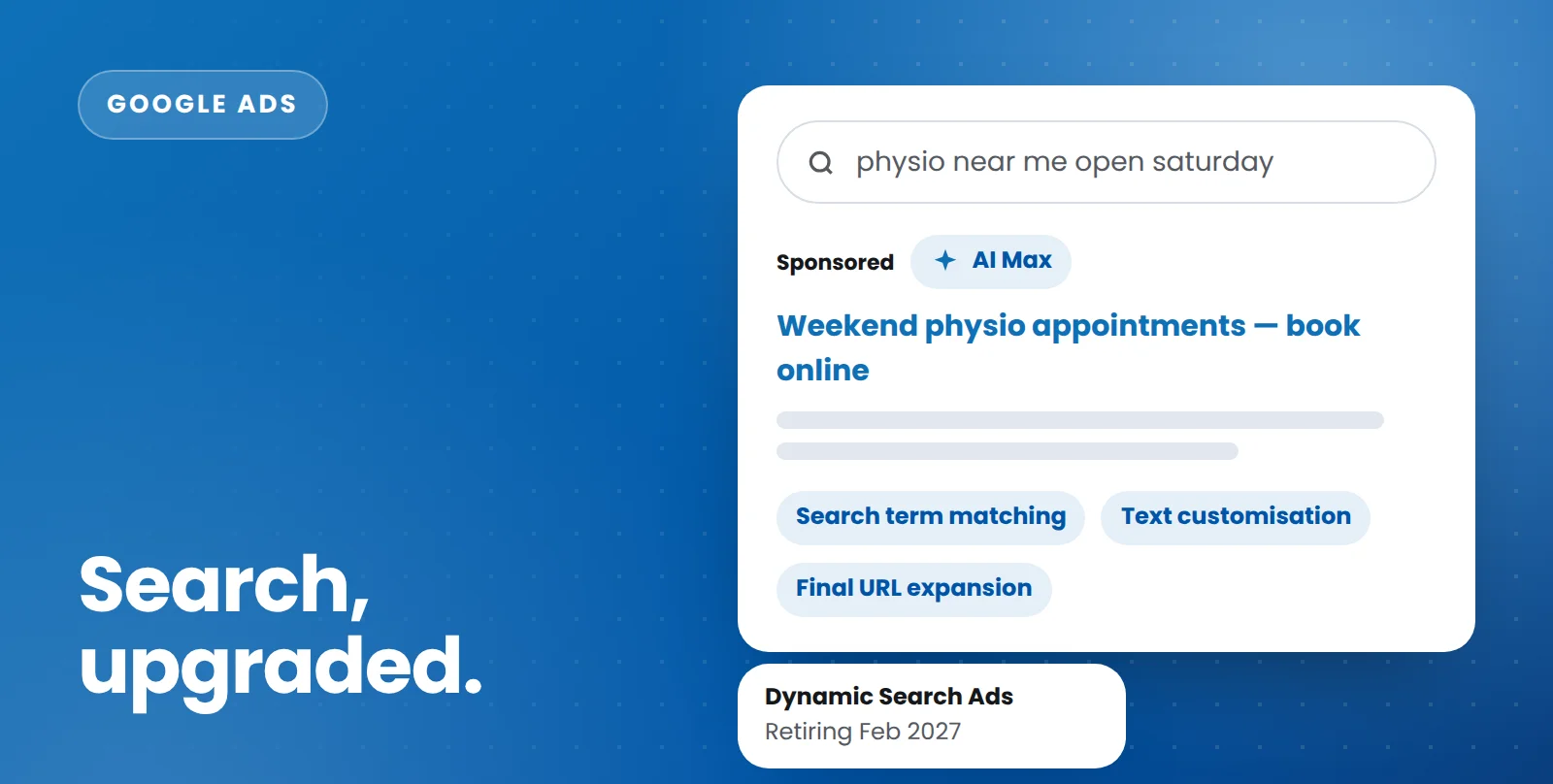
AI Max isn’t a new campaign type. It’s a set of features switched on inside your existing Search campaigns:
- Search term matching finds relevant searches beyond your keywords, using your ads and website content as signals.
- Text customisation uses AI to write headlines and descriptions tailored to each search, drawing on your website and existing ads.
- Final URL expansion sends people to the page on your site that Google thinks best matches their search, rather than always using your chosen landing page.
It also comes with controls to steer it: brand and location controls, text guidelines that tell the AI what to avoid, and the ability to exclude pages from URL expansion.
What’s changing, and when
From September 2026, Google began automatically upgrading:
- campaigns using automatically created assets — upgraded to AI Max with search term matching and text customisation switched on by default
- campaigns using the campaign-level broad match setting — upgraded to AI Max with search term matching switched on
From February 2027, Dynamic Search Ads (DSA) will be retired and remaining DSA campaigns upgraded automatically. Google originally planned this for September, but pushed it back after advertisers asked for more time. When it happens, dynamic ad groups become standard ad groups with all three AI Max features switched on, and your existing URL controls carried across.
Why it matters
Used well, AI Max can find valuable searches your keywords miss. Google says Search campaigns using the full AI Max feature set see an average of 7% more conversions or conversion value at a similar cost per conversion, compared with using search term matching alone — though that’s Google’s own data, so it’s worth testing in your own account.
Left unchecked, though, the same features can:
- show your ads for searches that look related but rarely convert
- write ad copy that isn’t quite how you’d describe your business — a real issue in regulated areas like health, finance and legal services
- send people to pages that were never meant to receive ad traffic, such as blog posts, careers pages or old offers
Eight things to check in your account now
- Find out what’s been upgraded. Look for Google’s notifications in your account, then check each Search campaign’s settings to see which AI Max features are now on.
- Review your search terms weekly for the first month. Look for irrelevant or low-quality searches and add negative keywords quickly.
- Set your brand controls. Decide whether your ads should show for searches that include your own brand, competitors’ brands, or neither.
- Add text guidelines. Tell the AI which words, claims or phrases it must never use. For regulated industries, this is essential.
- Check final URL expansion. Exclude pages that shouldn’t receive ad traffic. If landing page control is critical — for example, a page with a specific offer — consider switching URL expansion off for that campaign.
- Read the AI-written ads. Review the headlines and descriptions AI Max is creating, and remove anything inaccurate or off-brand.
- Make sure your conversion tracking is right. AI Max optimises toward the conversions you report. If your tracking counts the wrong things, it will find you more of the wrong thing. Our guide to spotting broken tracking is a good place to start.
- Plan your Dynamic Search Ads move before February. Google has released upgrade tools for DSA campaigns. Moving on your own timeline, and testing with Google’s one-click experiments, gives you more control than waiting for the automatic switch.
The bottom line
AI Max is where Google Search advertising is heading, and for many accounts it will help. But it hands more decisions to Google’s AI — which searches you appear for, what your ads say and where people land. The businesses that benefit most will be the ones that set clear guardrails and keep reviewing the results.
Not sure what’s changed in your account? A free Google Ads audit includes a full review of your AI Max settings, search terms and AI-written ads.
Talk to our team
Whether it’s ads, SEO, email or your website, we’ll give you clear, practical advice for your business.