Google Ads’ August bidding change: what it means for your Target CPA and ROAS campaigns
From 17 August, budget-limited Target CPA and Target ROAS campaigns are being steered back toward the targets you set. Here’s who’s affected and what to check now.
On 17 August, Google Ads began rolling out a change to how Smart Bidding treats campaigns that are limited by budget. It doesn’t come with a new button or a new campaign type, which makes it easy to miss — but if you run Target CPA or Target ROAS bidding, it can change what you pay for every lead or sale.
Here’s what’s changing, which campaigns are affected, and what we’re doing for our clients’ accounts.
What’s changing?
Google announced the update in June as part of a wider set of bidding and budgeting changes. It rolls out over several weeks from 17 August (US time — so from 17–18 August here in Australia).
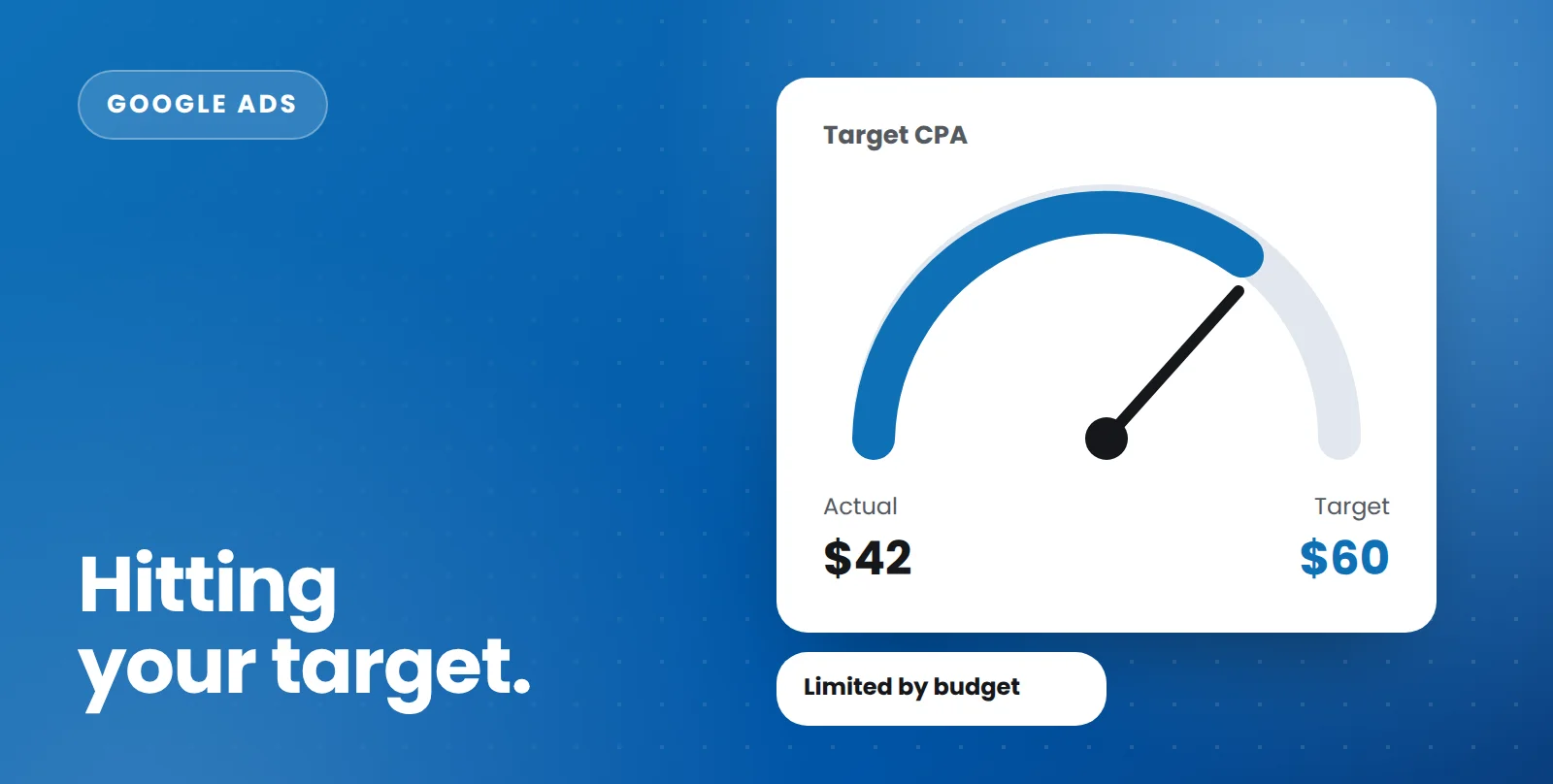
Until now, a campaign that was “Limited by budget” and running Target CPA or Target ROAS could regularly beat its target. If you set a $60 target CPA but the budget ran out before Google could find more expensive conversions, you might have been getting leads at $40 — and that gap looked like great efficiency.
Google’s view is that this made performance unpredictable, particularly when advertisers increased budgets and costs suddenly jumped. So budget-limited campaigns will now be steered to deliver closer to the target you’ve actually set.
Which campaigns are affected?
The change applies to campaigns that meet both of these conditions:
- they show a “Limited by budget” status, and
- they use Target CPA or Target ROAS bidding.
It covers Search, Shopping, Performance Max, Demand Gen, Travel and Display campaigns. Campaigns that aren’t budget-limited, or that use other bid strategies such as Maximise Clicks or Manual CPC, aren’t affected.
What could happen to your results?
If your campaign has been beating its target, expect it to move closer to that target. In practice that usually means:
- Cost per lead or sale may rise toward your Target CPA (or ROAS may fall toward your Target ROAS).
- Volume may increase, because Google can now bid for conversions it would previously have skipped.
- Spend stays within your budget — the change doesn’t push you past your daily budget, and it doesn’t change how the auction itself works.
Whether that’s good or bad depends entirely on whether your target reflects what you’re genuinely happy to pay. Many accounts set targets loosely and never revisited them, because the campaign was beating them anyway. That’s exactly where the risk is.
What to do now
- List every budget-limited Target CPA or Target ROAS campaign. Filter your campaigns by status and bid strategy.
- Compare actual results with the target. Look at the last 30 to 60 days. If a campaign has been delivering a $40 CPA against a $60 target, it’s the most exposed.
- Reset targets to what you actually want to pay. If $40 is the number that makes the campaign profitable, set the target to $40 — don’t leave headroom you don’t want Google to use. Google also released a Bid Target Adjustment tool in July to help with this.
- Review budgets at the same time. If a campaign is profitable and budget-limited, more budget may be a better lever than a looser target.
- Change one thing at a time and give it two to four weeks. Smart Bidding needs time to settle. Big, simultaneous changes make it impossible to tell what worked.
You may also notice Google has relabelled bid strategies in the interface — “Maximise conversions with a Target CPA” now simply shows as “Target CPA”, and the same for Target ROAS. That’s cosmetic and separate from this change.
Also this month: a Google Search spam update
On the organic side, Google began rolling out its August 2026 spam update on 18 August (US time). It’s the third spam update this year. If you follow Google’s guidelines, there’s usually nothing to do — but if you see a sudden drop in organic traffic this week, it’s worth checking Search Console once the rollout finishes rather than making changes mid-update.
The bottom line
This change rewards advertisers whose targets reflect real business numbers, and penalises “set and forget” targets. Taking an hour now to audit your budget-limited campaigns could save a noticeable jump in cost per lead over the next month.
Not sure whether your campaigns are exposed? We’ll check every budget-limited campaign in your account as part of a free Google Ads audit.
Talk to our team
Whether it’s ads, SEO, email or your website, we’ll give you clear, practical advice for your business.