Smart Bidding Exploration comes to Performance Max: what it means for your campaigns
Google has expanded Smart Bidding Exploration to Performance Max. Here’s how the new ROAS tolerance setting works, who should use it, and how to test it without wasting budget.
On 15 June, Google announced one of the more significant Performance Max (PMax) changes of the year: Smart Bidding Exploration, previously only available in Search campaigns, is now available for Performance Max.
It’s a small setting with a big idea behind it — giving Google permission to find customers your campaign is currently missing. Here’s how it works, who it suits, and how we recommend testing it.
What is Smart Bidding Exploration?
Most PMax campaigns run on a Target ROAS (return on ad spend) bid strategy. Google bids to hit that target on every auction, which is great for efficiency — but it also means your campaign tends to keep winning the same kinds of searches and customers, and rarely tests anything new.
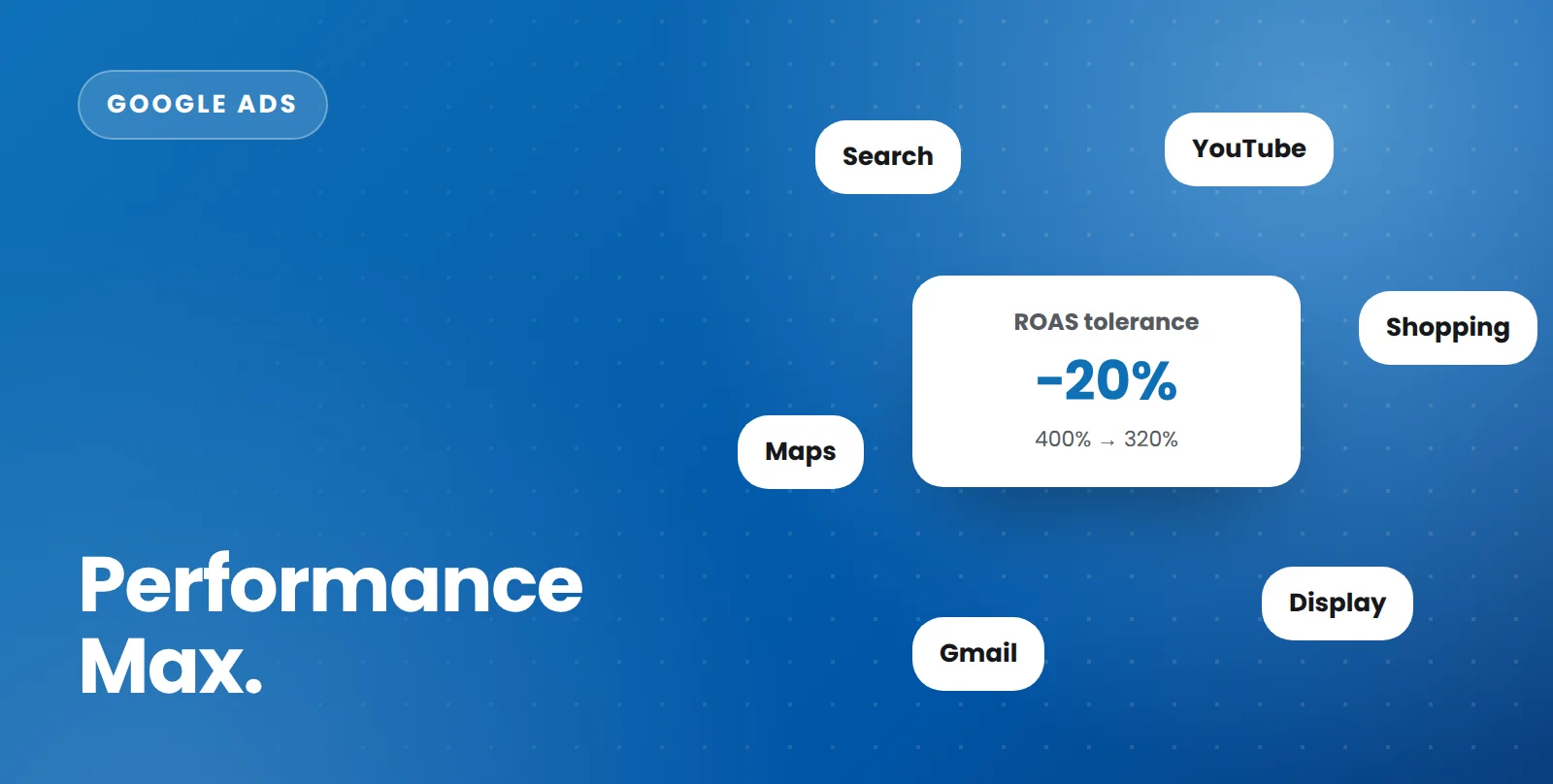
Smart Bidding Exploration adds a ROAS tolerance. This tells Google how far below your target ROAS it’s allowed to bid when it spots opportunities you’re not currently winning — new search queries, new categories and new customers. Your core targeting, assets and audience signals stay exactly the same.
A simple example
Say your PMax campaign has a Target ROAS of 400% — you want $4 back for every $1 spent.
- With a 20% tolerance, Google can bid for new opportunities as long as they’re expected to return at least 320% ($3.20 for every $1).
- Your usual auctions still aim for 400%.
- The trade-off: your overall ROAS may dip slightly, in exchange for more conversions from people and searches you weren’t reaching before.
Who can use it?
Google has made Smart Bidding Exploration globally available, in all languages, for Performance Max campaigns without a product feed — typically lead generation and service businesses. For campaigns that do use a product feed (Shopping and retail PMax), it’s launching as a separate beta, so availability may vary by account.
Who should use it — and who should wait
It’s a good fit if:
- your PMax campaign is consistently hitting or beating its Target ROAS
- you want growth and new customers, not just efficiency
- you have healthy margins that can absorb a slightly lower ROAS on new traffic
- your conversion tracking and conversion values are accurate
Hold off if:
- your margins are tight and every sale must hit the target
- your campaign is already struggling to reach its ROAS
- your conversion tracking isn’t reliable — exploration optimises on your data, so bad data means bad exploration
- your campaign has low conversion volume, as there won’t be enough data to judge the results
How to test it properly
- Start with one campaign. Choose a stable, well-performing PMax campaign rather than switching it on everywhere.
- Use a modest tolerance. Start small and increase it only once you’ve seen how the campaign responds.
- Give it time. Allow at least four to six weeks before judging, and avoid making other big changes to the campaign at the same time.
- Judge it on the right numbers. Look at total conversions, total conversion value, new customers and — most importantly — profit. ROAS on its own will almost always look slightly worse; the question is whether the extra sales are worth it.
- Check where the growth came from. Review the search terms and insights reports to see which new queries and categories Google has started winning.
The bottom line
Smart Bidding Exploration is one of the few PMax settings designed purely for growth. Used carefully on the right campaign, it can open up customers you’ve never reached. Switched on everywhere without a plan, it can simply lower your return.
If you’d like to know whether your Performance Max campaigns are ready for it, we’ll review them as part of a free Google Ads audit.
Talk to our team
Whether it’s ads, SEO, email or your website, we’ll give you clear, practical advice for your business.